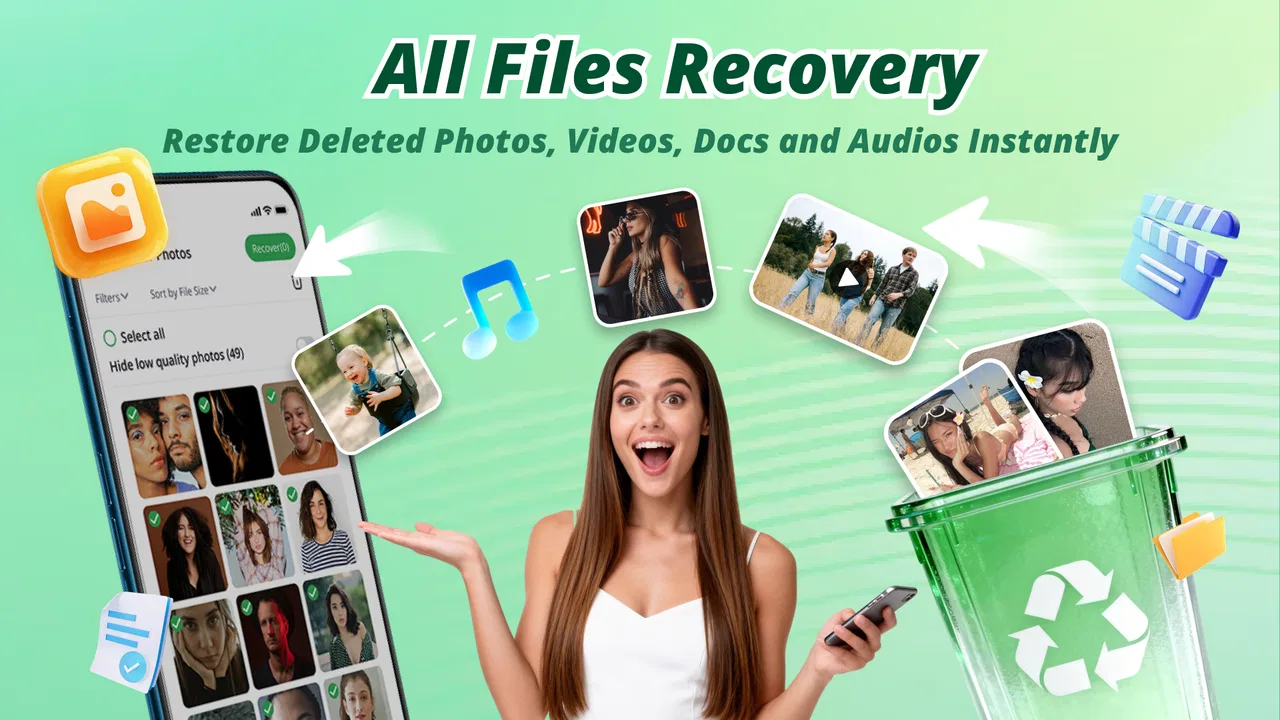
Recovery Photo - File Restore
- 4.3
- Rating
- 1.00M
- Installs
- Free
- Price

 Analysis by App-foxy
When a photo or file disappears from a phone, the first reaction is usually panic rather than productivity. I tested Recovery Photo - File Restore as a practical tool for that moment, but I found its real value depends on what I do before opening it. It is a free productivity app from AbCdE, aimed at restoring deleted photos and files on Android devices. The store summary is simple, yet the useful question is more specific: can it become a sensible part of a file-management routine, or is it only something to install after a mistake?
My answer is somewhere in the middle. It is worth keeping in mind for accidental deletions, especially when the missing item is recent and I have not heavily used the phone since losing it. At the same time, I would not treat it as a substitute for backups, cloud storage, or a careful folder system. Recovery tools work best as a second chance, not as a complete safety net.
Start with a better workflow before recovery is needed
The most important lesson I took from using Recovery Photo - File Restore is that recovery begins before deletion. If every image is scattered across messaging folders, downloads, screenshots, and camera albums, finding a restored item becomes almost as frustrating as losing it. I get better results from first deciding which files matter, where they should live, and which copies deserve protection.
You May Also Like

 Blood Strike: 2.5 Anniversary
Blood Strike’s Loadouts Turn Every Drop Into a Tactical Gamble
A close look at Blood Strike’s custom loadouts: how fast access to signature weapons reshapes its battle royale rhythm, rewards preparation, and narrows the gap between fights.

 Pandora - Music & Podcasts
Pandora’s Music Is Easy to Start, but Harder to Recover
Pandora’s strength is its low-effort path from a seed to a station. Its weak spot is how much confidence it asks you to place in connection, setup, and quiet recovery.

 8 Ball Pool
 Is Built on Rivalries, Rematches, and Routine
A close look at the rivalries, rematches, shared routines, and unanswered safety questions that turn a quick pool match into a persistent mobile community.

 Samsung Music
’s Quiet Strength Is Playing What You Already Own
Its reach comes less from spectacle than from dependable access to a personal library. That simplicity is both the app’s strongest retention engine and its ceiling.

 AccuWeather: Weather Radar
AccuWeather Review: A Quick, Clear Forecast for Everyday Decisions
For everyday plans, the best forecast is the one you can understand quickly. AccuWeather makes rain timing, radar, and local conditions easy to act on, with a few trade-offs.

 Hill Climb Racing
Why Hill Climb Racing Still Turns Crashes Into One More Run
A tiny car, a bumpy hill and one more upgrade: Hill Climb Racing keeps resurfacing because its simple chaos makes every near-miss feel personal.
More From Our News Desk



For everyday phone use, I separate personal photos, work documents, downloaded images, and temporary screenshots. This does not prevent accidental deletion, but it makes the aftermath easier to understand. If a document disappears, I know whether to look among recent downloads, office files, or images. A recovery application can search for lost material, but it cannot replace a clear storage habit.
I also avoid filling the phone immediately after deleting something important. New photos, videos, downloads, and app activity can make recovery less reliable because deleted storage may eventually be reused. That is why I open the app as soon as I notice a mistake, rather than waiting until the end of the day. This is a practical trade-off: the app is most useful when I act quickly, while delaying gives the phone more opportunities to overwrite recoverable information.
Another sensible precaution is to stop repeatedly installing and removing recovery utilities. If I am trying to retrieve one important image, experimenting with several apps can create more storage activity and more confusion. I prefer to make one careful attempt, review the results, and then save anything recovered somewhere clearly separate from the original location.
What the app is actually good at
The app is designed around a straightforward need: locating deleted photos and files and helping restore them. That makes it more approachable than a desktop-style recovery process, particularly for someone who does not want to connect a phone to a computer or learn technical storage terminology. Its role is not to organize my entire device; it is to help me investigate a loss.
I found that distinction useful. When a photo vanished after a rushed cleanup, I did not need another gallery or file browser. I needed a focused way to look for material that was no longer visible in the usual places. The app fits that emergency workflow better than general productivity software does.
It is also suitable for people who regularly handle images on their phones: parents clearing space after a family event, students managing assignment attachments, or small-business owners who receive product pictures through several channels. In each case, the value comes from reducing the chance that one careless tap becomes a permanent loss.
However, I would not use it as my only protection for irreplaceable memories, identity documents, or business records. A recovery attempt can fail, and even a successful result may not restore an item exactly as I expected. For important material, I still prefer a separate backup habit. The smart setup is layered: organized storage first, backup second, recovery app third.
Capturing recovered files without creating a new mess
Recovery is only half the job. Once a file appears again, I need to decide where it belongs. A common mistake is to restore everything into a crowded location and assume the problem is solved. That can produce duplicate images, unclear filenames, and a second round of sorting later.
My preferred approach is to create a temporary recovery folder before beginning. I use it as a holding area, then inspect each result. Photos that are genuinely needed move into the correct album or backup location. Unclear duplicates stay separate until I can compare them. This small step turns the app from a panic button into a controlled workflow.
When I am looking for one particular picture, I narrow the task mentally before scanning results. I remember the approximate event, subject, and file type, then avoid restoring every item shown. Selective recovery saves time and keeps the phone from filling with unwanted copies. It also makes it easier to notice whether the recovered image is complete and usable.
For documents, I pay attention to the filename and extension rather than judging only by a thumbnail. A restored file that opens correctly is more useful than one that merely appears in a results view. I also rename important recovered files immediately, using a consistent pattern such as the project name and date. That prevents a future search from becoming another recovery problem.
This is one of the less obvious strengths of using a dedicated recovery tool inside a broader system: it creates a clear moment to review digital clutter. I do not want to restore forgotten screenshots and temporary downloads just because they are available. The best result is not the largest recovery; it is the smallest recovery that returns what matters.
A repeatable routine for accidental deletion
I recommend treating the app as part of a short routine rather than opening it randomly. First, I stop creating new files and avoid unnecessary phone activity. Next, I identify what disappeared and when I last saw it. Then I run the recovery process, inspect likely matches, and restore only the items I can verify.
After recovery, I place the files in their permanent folders and make a separate copy of anything important. Finally, I check the original cause of the loss. If I deleted the item while clearing screenshots, I change the cleanup habit. If the file was difficult to locate because it had an unhelpful name, I improve the naming system. Otherwise, I am likely to repeat the same mistake.
This routine is especially helpful in a realistic everyday situation. Imagine taking several photos for a school project, deleting what looks like a duplicate, and later discovering that it was the only clear image. I would stop taking more pictures, open the recovery app, look for the missing image, and save the recovered version into a project folder rather than returning it to a random gallery location. The recovery step fixes the immediate problem; the organization step prevents a second one.
I also find the routine useful after a hurried storage cleanup. Instead of restoring an entire group blindly, I review the results in batches: personal photos first, then work files, then disposable material. This prioritization matters when time is limited. It keeps the search focused on files whose loss has a real consequence.
Because the app is free, it is easy to keep available without adding a purchase decision during an emergency. That convenience is part of its appeal, but it should not encourage careless storage habits. Free access does not make every deleted file recoverable, and it does not remove the need for backups.
Where recovery can fail or feel limited
The biggest limitation is built into the problem itself: deletion is not always reversible. If storage space has been reused, a recovery attempt may not find the original file or may produce something incomplete. I would therefore judge the app by how efficiently it helps me check for a possible recovery, not by expecting certainty in every case.
Results can also be confusing when a phone contains many similar images. Thumbnails, duplicates, temporary copies, and files from different apps may look alike. This is why I avoid restoring everything at once. A careful review takes longer, but it reduces the chance of replacing one problem with a disorganized collection of copies.
Another friction point is expectation. A person may assume that a tool promising file restoration can recover anything deleted at any time. I would not make that assumption. The app is a useful first response, especially for recent accidental deletion, but it is not a guarantee against storage damage, long delays, or repeated writing to the device.
There is also a privacy consideration in the way I use any recovery utility. Deleted files may include personal photos, scans, or private documents. I only restore material on my own device, review what is being recovered, and avoid leaving sensitive files in a temporary folder longer than necessary. The safest workflow is deliberate rather than hurried.
For a large or critical recovery, a desktop recovery solution may be a better choice because it can offer a broader workspace and more detailed control. For routine phone mistakes, however, a mobile app is less intimidating and more convenient. The right option depends on the value of the missing file and the seriousness of the loss.
How it compares with the usual alternatives
The first alternative is the phone’s built-in trash or recently deleted area. When that option contains the file, it is usually the simplest route because it preserves the familiar album or folder context. I check there first. Recovery Photo - File Restore becomes more useful when the item is no longer visible through the normal gallery or file manager.
Cloud backup is a stronger long-term defense. It can protect important photos even after local deletion, provided synchronization or backup was already active. The drawback is that it depends on preparation and may not include every download, document, or file from a less common folder. I see the recovery app as complementary: cloud storage protects the future, while recovery investigates a local mistake.
Manual browsing through file folders is another option, especially when a file was merely moved rather than deleted. That method costs nothing and can reveal an item hidden in an unexpected location, but it is slow when the file is genuinely gone. The dedicated app is more focused for that specific search, though I still verify the result before treating it as restored.
Desktop tools may suit advanced users handling a serious loss, but they add setup, cables, and a larger learning curve. I would choose that route for valuable work archives or a phone with extensive damage. For a single accidentally deleted photo, the mobile approach is more practical and less disruptive.
Who should adopt it, and who should skip it
I think this app is a good fit for Android users who frequently delete photos while clearing space, receive files through multiple apps, or want a simple recovery option available before an accident happens. It is also useful for people who are uncomfortable with technical tools and prefer to begin directly on the phone.
The current release is version 1.7, and the app supports devices running Android 7.0 or later. That makes it relevant for people using older compatible phones as well as newer devices. Its Everyone content rating also makes it straightforward to consider for general household use, although I would still supervise any recovery involving private family files.
The app has built a visible user base, with over one hundred thousand installs, and its average score is 4.2 from around one thousand two hundred ratings. I read those figures as a sign that the basic idea is useful to many people, not as proof that every recovery attempt will succeed. Ratings cannot remove the technical limits of deleted storage.
I would skip it as a primary solution if I already maintain reliable backups and only need advanced archive management. In that situation, a cloud service, computer backup, or dedicated file manager may fit better. I would also avoid relying on it for a phone that has suffered serious storage failure or for a large professional archive where a more controlled recovery process is appropriate.
My final view after making it part of a system
Recovery Photo - File Restore is most convincing when I use it as one step in a sustainable productivity system. It helps me respond to accidental deletion, but it does not excuse a chaotic storage setup or replace dependable backups. The app’s free price lowers the barrier to keeping a recovery option nearby, while its focused purpose makes more sense than installing a general utility during a stressful moment.
My practical recommendation is to install it before you need it, keep important folders organized, and remember where recovered files should go. If something disappears, stop unnecessary phone activity, search promptly, restore selectively, and create a protected copy afterward. Those habits matter as much as the recovery attempt itself.
For recent, accidental losses on a compatible Android phone, I would give it a try. For irreplaceable files, I would use it alongside—not instead of—backups. That balance is why I see Recovery Photo - File Restore as a useful safety net: not magic, but a convenient second chance when ordinary file management has already failed.
FAQs for Recovery Photo - File Restore
01What types of files can Recovery Photo - File Restore recover?
Recovery Photo - File Restore is versatile in its capabilities, allowing users to recover various file types, including images, videos, and documents. The app supports a wide range of formats, ensuring that even if you've accidentally deleted a file, there's a good chance it can be restored to its original state.
02Is Recovery Photo - File Restore safe to use on my device?
Yes, Recovery Photo - File Restore is designed with user safety in mind. It does not alter or damage your existing files during the recovery process. Additionally, it doesn’t require root access, ensuring your device's integrity and security remain uncompromised while using the app.
03How user-friendly is Recovery Photo - File Restore?
The app is designed to be intuitive and easy to navigate, making it accessible for users of all technical levels. It features a straightforward interface with step-by-step instructions, allowing users to recover their files quickly and efficiently without needing extensive technical knowledge.
04Does Recovery Photo - File Restore require an internet connection?
No, Recovery Photo - File Restore does not require an internet connection to function. The app performs all recovery processes locally on your device, ensuring your data remains private and secure without the need for cloud access or online resources.
05Are there any limitations on the free version of Recovery Photo - File Restore?
The free version of Recovery Photo - File Restore offers basic recovery features, which may be sufficient for casual users. However, for more advanced recovery options and features, such as recovering larger files or accessing premium support, upgrading to the paid version might be necessary.
Pros
- Simple interface
- easy to navigate.
- Supports multiple file types for recovery.
- Quick scan functionality saves time.
- No need for root access on devices.
- Preview files before restoring.
Cons
- Limited free version features.
- Advertisements can be intrusive.
- Recovery success not guaranteed.
- Requires internet for some functions.
- May not recover all lost files.

Recovery Photo - File Restore
Gallery